1
Stays on your computer
Source files, working data, outputs, filenames, paths, and conversion history are not uploaded to Nunuworks for conversion.
FileConverter
Convert images, audio, video, archives, PDFs, and Office documents on your computer without uploading them to Nunuworks. FileConverter shows only formats that work for each file, checks every result before saving it, and never changes the original.
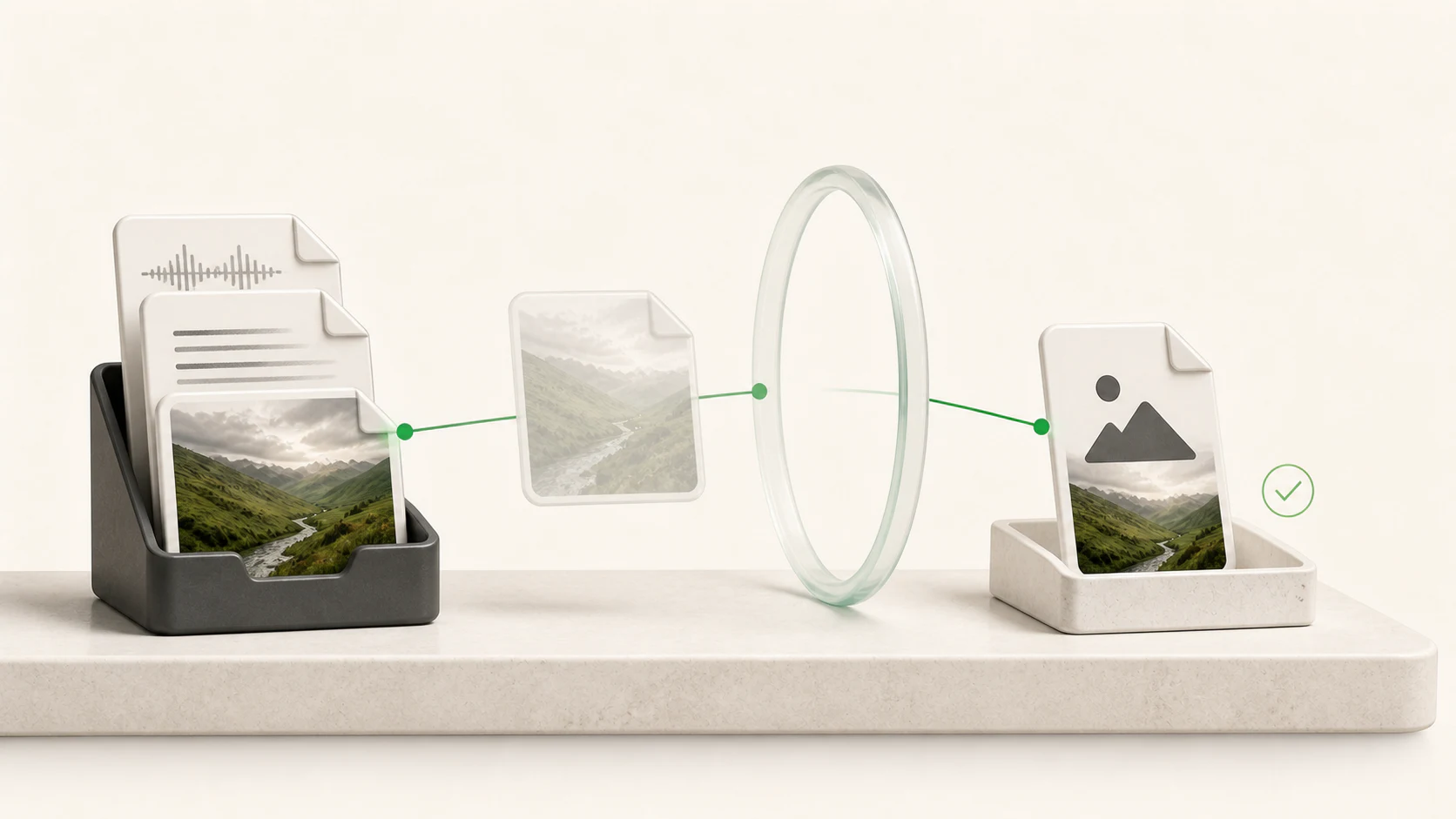
FileConverter combines a useful range of formats with careful local handling, so you can focus on the result instead of the conversion machinery.
1
Source files, working data, outputs, filenames, paths, and conversion history are not uploaded to Nunuworks for conversion.
2
FileConverter inspects the selected file and presents only the output routes eligible for its actual contents and properties.
3
The original opens read-only. A separate result is staged, independently checked, and published without silently overwriting another file.
There are no generic command lines or mystery plug-ins. You get a bounded conversion route for the file you selected.
Choose up to 500 source files. FileConverter inspects their contents rather than trusting an extension alone.
Available outputs change with the source. The app shows only routes present in the installed, qualified conversion registry.
Each result is written separately, checked for the route’s required structure or decodability, and then published to your destination.
Try the full app with your own work before deciding whether to pay.
Download FileConverter freeThe goal is not to claim every format. It is to handle useful, verified conversion routes without sending the work to a cloud converter.
Move among JPEG, PNG, TIFF, WebP, AVIF, BMP, static GIF, and one-page PDF outputs where eligible.
Convert common audio sources to WAV, FLAC, MP3, M4A, or Opus and eligible video to MP4, MOV, or MKV.
Repackage safe ZIP, 7Z, and TAR archives or render eligible PDF pages as PNG or JPEG image sets.
Create PDF output from eligible DOCX, XLSX, and PPTX files with active or externally linked content refused.
FileConverter opens each source read-only and writes a working result into a separate app-owned staging location. Only a result that passes the route’s checks can be published.
Validation confirms the produced file meets structural or decoding requirements for that route. It does not pretend every visual, layout, metadata, or semantic detail can survive every format change.
Choose a file and FileConverter shows what the installed desktop build can create from it. Extensions are hints; contents and properties decide which routes are eligible.
JPEG / JPG
PNG, TIFF, AVIF, GIF, BMP, or one-page PDF
PNG
JPEG, TIFF, AVIF, GIF, BMP, or one-page PDF
TIFF
JPEG, PNG, AVIF, GIF, BMP, or one-page PDF
WebP
JPEG, PNG, TIFF, AVIF, GIF, BMP, or one-page PDF
AVIF
JPEG, PNG, TIFF, GIF, BMP, or one-page PDF
BMP
JPEG, PNG, TIFF, AVIF, GIF, or one-page PDF
Static single-frame GIF
JPEG, PNG, TIFF, AVIF, BMP, or one-page PDF
Eligible 16-bit PCM WAV
FLAC
General WAV
MP3, M4A, or Opus
Eligible 16-bit FLAC
WAV when material metadata does not need to be retained
General FLAC
MP3, M4A, or Opus
M4A
WAV, FLAC, MP3, or Opus
MP3
WAV, FLAC, M4A, or Opus
OGG, AAC, audio-only WebM / MKA
WAV, FLAC, MP3, M4A, or Opus
AVI, MKV, WebM, MOV
MP4, MOV, or MKV
7Z
ZIP or TAR
ZIP
7Z or TAR
TAR
ZIP or 7Z
PNG page set or JPEG page set
DOCX, XLSX, PPTX
Exact choices can narrow after inspection. For example, animated images, encrypted PDFs, active Office content, unsafe archives, unsupported streams, or material properties that cannot be handled honestly may be refused.
Conversion runs locally on your computer. FileConverter does not upload your source files, outputs, previews, filenames, paths, embedded metadata, output choices, or conversion history to Nunuworks.
Your first 10 successfully committed source conversions are free. After that, complete one eligible conversion each local calendar day or unlock the allowance with a one-time purchase.
For computers running Windows 11 version 24H2 or newer with 64-bit x64 processors.
Version 0.8.0
Download for Windows, 64-bitFor Apple silicon Macs running macOS 26.5.2 or newer.
Version 0.8.0
Download for Mac, Apple siliconChoose the Apple silicon Mac or Windows 64-bit package.
US$19.99
Purchase begins inside FileConverter and opens secure Stripe Checkout. Applicable tax is shown before payment. Buying removes the local allowance without changing the available formats, conversion engines, validation, privacy behavior, or output quality.
All sales are final except where applicable law requires otherwise.
Enter the purchase email to request the same three keys again. The confirmation stays deliberately generic so the page does not reveal whether an address purchased FileConverter.
Clear answers about files, privacy, free use, purchasing, and what FileConverter does.
FileConverter inspects files locally, shows the conversion routes eligible for each source, runs the chosen conversion on your computer, checks the staged result, and publishes a new output while leaving the original untouched.
The current desktop builds include directed routes for common still images, audio, video, safe ZIP/7Z/TAR archives, PDFs, and DOCX/XLSX/PPTX documents. The complete current input-to-output matrix appears in the Files section above.
FileConverter inspects file contents and material properties instead of trusting an extension. It shows only routes that match the detected source and the installed conversion registry, and it can refuse files whose encryption, active content, animation, streams, metadata, or other properties cannot be handled safely and honestly.
FileConverter does not upload sources, outputs, previews, filenames, paths, metadata, choices, or conversion history to Nunuworks. If you choose a file inside iCloud Drive, Dropbox, OneDrive, a network folder, or another synced location, that storage provider or your operating system may still transfer or observe it independently of FileConverter.
No. The source opens read-only and remains untouched. FileConverter writes a separate staged result, validates it, and publishes a new output without silently replacing an existing destination file.
Validation confirms the result has the required structure, signature, dimensions, streams, page count, archive contents, or decodability for its specific route before publication. It is not a guarantee that every visual, layout, semantic, or metadata detail survives an inherently lossy format change.
One allowance unit means one source file whose complete validated result is successfully committed. If one source produces several output files, such as a PDF page set, it still counts once.
No. Failed, cancelled, refused, corrupt, unsupported, invalid, or unpublished work counts zero. A batch can be blocked before it starts if it would exceed the remaining allowance rather than partially converting without clear consent.
Free mode then allows one successfully committed source conversion per local calendar day. Unused daily conversions do not carry forward. Purchasing removes the allowance for eligible work on that device.
No. Free and licensed use the same formats, engines, validation, privacy behavior, and output quality. The purchase changes only the allowance.
A batch can contain up to 500 source files. Current route limits include images up to 512 MiB and 100 million pixels; audio up to 2 GiB, six hours, and eight channels; and video up to 10 GB, six hours, and 8192×8192 with one video stream and at most one audio stream.
Archives are limited to safe, unencrypted, single-volume contents with up to 2,048 entries, a 256 MiB source, and 512 MiB expanded/output size. Eligible PDFs can have up to 96 pages. Office sources can be up to 128 MiB and must not contain macros, active content, embedded objects, or external relationships.
No cloud conversion service is required. The installed conversion engines run locally. Internet access is still needed for actions such as downloading the app, checking for updates, purchasing, and opening external legal or support pages.
FileConverter is available for Apple silicon Macs running macOS 26.5.2 or newer and 64-bit x64 computers running Windows 11 version 24H2, build 26100 or newer.
US$19.99 plus applicable tax provides three separately signed keys for one purchaser’s own or primarily used Mac or Windows computers. Store one key on each device. Keys do not expire and are verified locally without a recurring account or license-server check.
Every FileConverter release Nunuworks actually publishes is included at no extra software-license charge. This does not promise a particular feature, format, operating system, architecture, support period, or release date.
Download FileConverter, run the first 10 eligible source conversions free, and unlock it only if it earns a place on your computer.
 PhotoSlopUse simple written instructions to create images, edit photos, and remove backgrounds with AI while keeping each project version on your computer.
 DownKitPaste a public link, preview the videos and images it contains, choose an available quality, and save your first five files free to your Mac.