1
See what needs action
Bills, renewal windows, expirations, response dates, and uncertain notices surface in one focused inbox instead of disappearing into folders.

DueFolder
Add bills, receipts, statements, renewals, or notices. DueFolder checks each document on your computer, suggests dates, amounts, and next steps, shows the text behind every suggestion, and lets you set reminders or file a copy without changing the original.
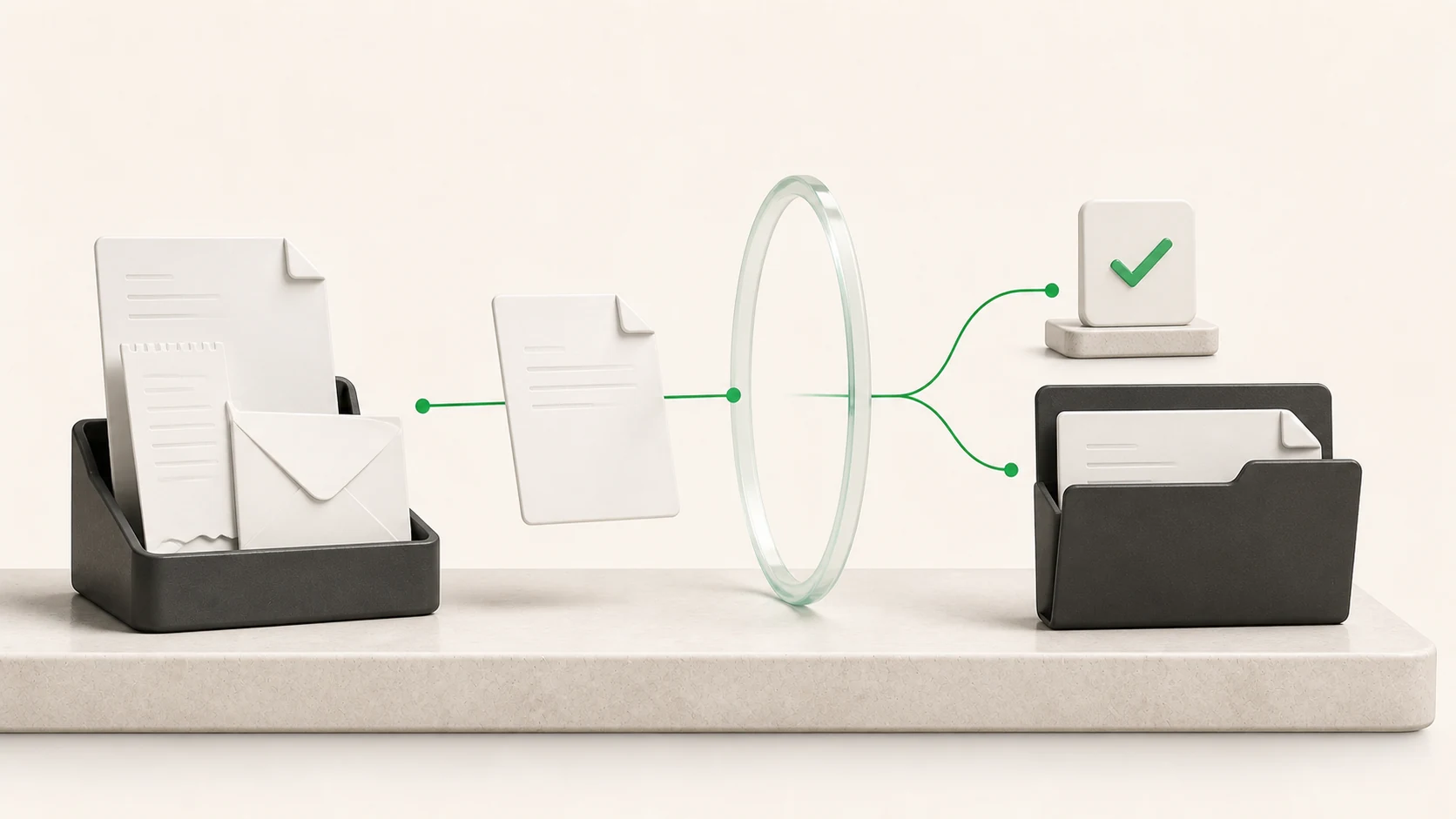
DueFolder separates what the document says from what you may want to do, so you can review both before anything is filed or remembered.
1
Bills, renewal windows, expirations, response dates, and uncertain notices surface in one focused inbox instead of disappearing into folders.
2
Every proposed date, amount, identifier, and action points back to the source line and page that produced it.
3
DueFolder creates a verified reviewed copy in a folder you choose. The source remains untouched, and the new copy can be undone safely.
The workflow stays deliberately visible. DueFolder proposes; you decide what is correct and what should happen next.
Choose a PDF, JPG, or PNG, drag it into the app, or explicitly watch one local inbox folder for new paperwork.
Check the document type, issuer, dates, amounts, identifiers, proposed filename, action, confidence, and source evidence.
Choose reminders only when you want them, search the local library later, and create a verified reviewed copy without moving the original.
Try the full app with your own work before deciding whether to pay.
Download DueFolder freeDueFolder focuses on the useful structure around a document instead of pretending to replace the document or professional advice.
Propose the issuer, amount due, currency, invoice number, due date, and a payment action for review.
Surface policy, warranty, service, and other important dates while keeping low-confidence dates visibly uncertain.
Index totals, periods, references, and paid-state evidence even when no follow-up action is required.
Suggest a series only after three consistent documents, then wait for approval before tracking an expected next item.
DueFolder keeps extracted fields, confidence, and source evidence together. Ambiguous numeric dates remain review items instead of becoming confident deadlines.
Actions and reminders are proposals. Nothing is paid, renewed, sent, or filed automatically, and the app is not tax, legal, medical, or financial advice.
DueFolder accepts common paperwork formats and creates only the local index records or reviewed copies you ask it to create.
Born-digital PDFs use local text extraction; scans and images use the operating system's local OCR.
The original stays in place. A reviewed filing action creates and verifies a separate copy.
DueFolder does not alter, delete, move, pay, submit, or replace a source document. Always use the original when an exact legal or financial record matters.
Document bytes, images, recognized text, extracted fields, search records, and activity history are not sent to Nunuworks. The network boundary is limited and stated plainly.
Try the complete workflow with 50 unique documents. Failed imports, duplicates, cancellations, and reprocessing do not use your trial. Free and paid processing quality are identical.
For Apple silicon Macs running macOS 26.5.2 or newer.
Version 0.1.5 · 120.7 MB
SHA-256 bbd10aeda2a165c3b302419afee47e35922a62824af014b36da146b1d0b7f676For computers running Windows 11 25H2 or newer with 64-bit x64 processors.
Version 0.1.5 · 102.1 MB
Download for Windows, 64-bitThe Mac release requires Apple silicon. The Windows download is available, but Windows purchasing, activation, and support remain unavailable.
US$49.99 once + tax
Purchase opens secure Stripe Checkout from DueFolder. Applicable tax is shown before payment. The signed license then works offline.
Digital-software refund and immediate-delivery terms remain subject to applicable law. DueFolder does not promise a release cadence, future feature, or perpetual operating-system support.
Clear answers about files, privacy, free use, purchasing, and what DueFolder does.
DueFolder reviews household and small-business paperwork on your computer, proposes useful fields and actions with evidence, keeps a searchable local library, and creates verified filing copies only when you ask.
No. DueFolder proposes fields and possible next steps from the evidence it can find, but you must review them against the original document. The source remains authoritative, especially for legal, financial, medical, or tax decisions.
The first release accepts PDF, JPG, JPEG, and PNG paperwork such as bills, invoices, receipts, statements, insurance documents, service notices, warranties, and other documents that need review.
No. Document bytes, images, OCR text, extracted fields, search records, and document-derived metadata stay on your computer. Explicit commerce, recovery, update, legal, and support actions use the network without including document content.
No. Import and review leave the source in place. Filing creates a separate byte-verified copy in the folder you chose. Undo applies only to that app-created copy and moves it to Trash when it has not changed.
One successfully committed, byte-unique document counts once. The trial includes 50. Duplicates, failures, refusals, cancellations, reindexing, and recovery replay do not count.
No. Free and paid mode use the same local processors, evidence, search, filing behavior, and result quality. Purchasing changes only the unique-document allowance.
No. DueFolder proposes actions and reminders for your review. It does not pay bills, renew policies, submit forms, contact issuers, or provide tax, legal, medical, or financial advice.
A reminder is available only after you approve the proposed action and date. You can complete, ignore, or change the action locally without altering the source document.
US$49.99 plus applicable tax provides one recoverable key for up to three computers personally owned or primarily used by the purchaser, within the approved household, freelance, or sole-proprietor scope.
No. The activated app and local library keep working offline. Internet access is needed for purchase, activation or deactivation, recovery, updates, legal or support destinations, and explicitly requested online support.
Every DueFolder update Nunuworks actually releases is included at no additional software-license charge. This is not a promise of a release cadence, feature, operating system, architecture, or perpetual future-OS support.
DueFolder supports Apple silicon Macs that meet the listed macOS requirement. Windows is coming soon.
Download DueFolder, review the first 50 unique documents with the complete workflow, and unlock it only if the calmer action inbox proves useful.
 FileConverterConvert images, audio, video, archives, PDFs, and Office documents on your computer without uploading them to Nunuworks or changing the originals.
 DownKitPaste a public link, preview the videos and images it contains, choose an available quality, and save your first five files free to your Mac.